
Linux Extension for AIDA64
Linux Extension for AIDA64 allows organizations to collect hardware and software inventory information from Linux-based computers and import the results into AIDA64 Business and AIDA64 Network Audit.
Download & Documentation
You can download the extension from the following link: Download AIDA64 Linux Extension
For step-by-step deployment instructions, please refer to the Setup Guide, available in the User Manual.
What is Linux Extension for AIDA64
Designed for enterprise environments, Linux Extension for AIDA64 generates audit reports in a format fully compatible with the AIDA64 database. It enables administrators to include Linux clients alongside Windows systems in a unified hardware and software inventory.
The application does not need to be installed on every Linux computer. It can be executed directly from a centrally shared network location, making deployment and maintenance simple across the entire organization.
Automated network inventory
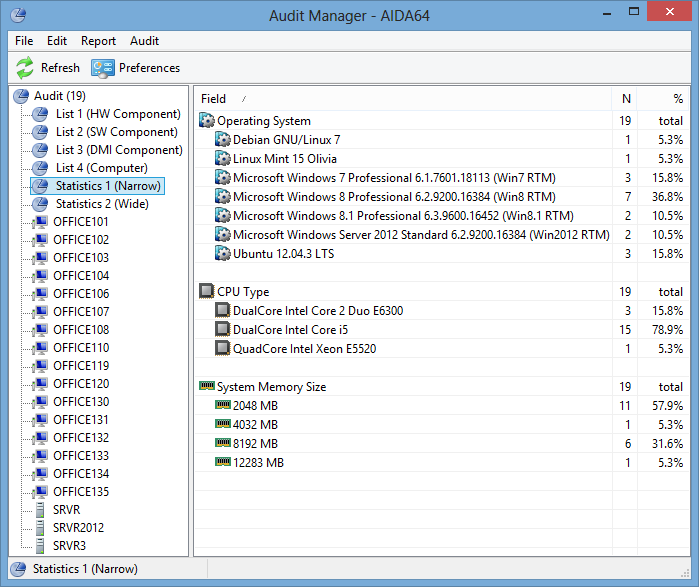
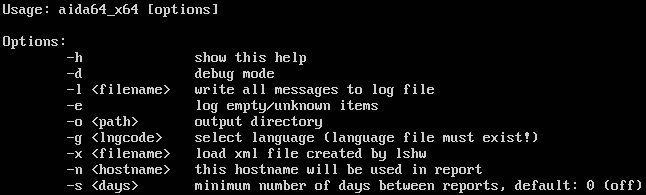
Using command-line options, Linux Extension for AIDA64 can automatically collect hardware and software information from the PC fleet connected to the company network. The data collected from individual computers can be saved to CSV report files. The collected reports – together with the information gathered directly from Windows clients – are processed by AIDA64 Audit Manager, which can also provide network audit statistics and diagrams on hardware and software distribution.
Hardware detection
The client can compile a summary report of the PC, including motherboard, CPU, memory, display, multimedia device, storage device, volume, input device, network, peripheral device and DMI information. Linux Extension for AIDA64 uses LSHW to detect the PC's hardware devices.
Software analysis
The software lists running processes and services as well as all installed programs. Information about the operating system, including install date, uptime and component version numbers, is also provided.