FinalWire Launches AIDA64 v8.20
SensorPanel and OSD Panel improvements and AMD Radeon RX 7700 support
Posted | December 9, 2025
AIDA64 8.20 builds on the massive technological leap introduced with AIDA64 8.00. The transition to our new 64-bit engine opened the door to faster performance, broader hardware support, and a more modern foundation for the future. Since then, thousands of users have shared their feedback, and 8.20 delivers on it. With significant SensorPanel enhancements, smoother multi-display operation, expanded hardware support, and refined benchmarks, this release makes AIDA64 smarter, faster, and more adaptable than ever.
New in AIDA64 8.20
- Turing (Turzx) 5.2-inch and 8-inch LCD support
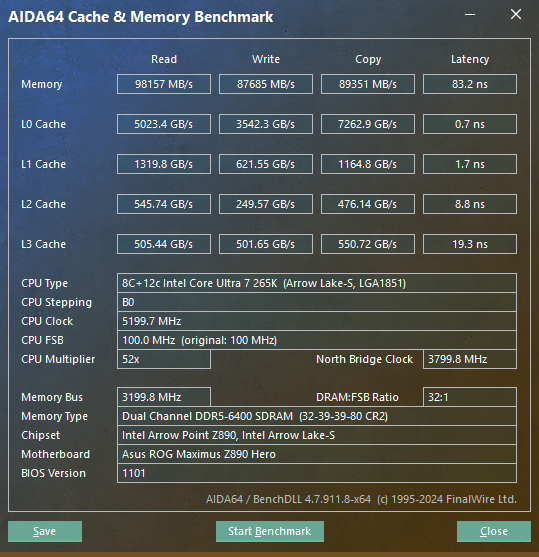
- Optimized memory bandwidth benchmark run times on AMD Milan, Rome, Shimada Peak processors
- Seamless SensorPanel Experience Across Multiple Displays
Your SensorPanel now behaves exactly as expected, even after system sleep, restarts, or display changes. - Fixed: RemoteSensor character encoding issues
Support for the latest hardware technologies
AMD Radeon Pro W7900D, AMD Radeon RX 7700 nVIDIA RTX Pro 500 Blackwell Embedded, RTX Pro 2000 Blackwell Embedded, RTX Pro 4000 Blackwell Embedded, RTX Pro 5000 Blackwell Embedded, RTX Pro 6000D Blackwell Max-Q Workstation Edition, RTX Pro 6000D Blackwell Workstation Edition.
Key Highlights Introduced in AIDA64 8.00
- A brand-new 64-bit engine
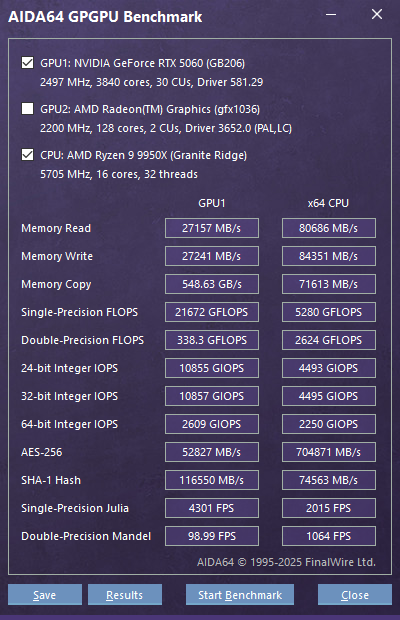
Dramatically faster startup, better responsiveness, and a future-proof technical base. - OpenCL support for NVIDIA RTX 5000 Series
Enables GPGPU benchmarks and stress tests on the latest GeForce cards. - Flawless multi-monitor and per-monitor DPI behavior
Move windows or SensorPanels between monitors, and AIDA64 instantly adjusts. - Full Unicode support
Perfect localization and consistent language switching, without Windows codepage issues. - Windows PE v3.0+ compatibility
AIDA64 now runs smoothly in modern live environments used for diagnostics and recovery. - New SPZIP SensorPanel format
Share, edit, and store layouts with dramatically smaller file sizes.
Compatibility with previous Windows versions
The move to a modern compiler and native 64-bit binaries has also resulted in a significant shift: AIDA64 v8.00 will no longer support 32-bit Windows versions or Windows XP x64. While this decision was necessary to modernize the software and enable the new features, it marks a clear direction towards supporting the latest operating systems and hardware.
Check legacy compatibility of AIDA64 versions.
Best Practices for Upgrading
Moving to AIDA64 v8.00 is straightforward, but there are a few important steps to follow. Our migration guide
highlights the required adjustments, including copying INI files from the old Program Files (x86) path, ensuring compatibility with new Unicode reports, and verifying system prerequisites.
Online Documentation
We've transitioned from the previous offline user manual to an extended, online version that is always up to date. This new manual offers comprehensive, real-time information and ensures that users have access to the latest guidance and support. By moving to an online format, we can continuously update and improve the content, providing a more efficient and user-friendly experience.
You can reach the Online User Manual here, or by pressing the "F1" key in AIDA64.