FinalWire Rolls Out AIDA64 v8.25
Smarter Monitoring, Broader Hardware Support
Posted | February 24, 2026
AIDA64 8.25 continues refining the modern 64-bit foundation introduced in the 8.xx generation. This update focuses on deeper hardware integration, more flexible display customization, and improved automation tools.
With revamped SensorPanel monitor pinning, native NVMe support, new PSU monitoring capabilities, and expanded LCD compatibility, AIDA64 becomes even more precise and adaptable across enthusiast setups and enterprise environments.
New in AIDA64 8.25
- Revamped SensorPanel monitor pinning
SensorPanels can now be pinned to specific monitors with improved accuracy and stability, delivering reliable positioning across multi-display systems. - Improved SensorPanel positioning stability
Fixes special cases where panel placement could shift after system sleep, Windows restart, or display reconfiguration. - Native NVMe support
Enhanced NVMe detection and reporting for modern high-performance storage devices. - MSI MPG Ai1300TS and Ai1600TS PSU monitoring
Direct monitoring support for MSI’s latest high-end power supply units. - WeAct LCD support
Expanded compatibility for additional external LCD modules. - Azerbaijani localization
AIDA64 is now available in Azerbaijani, further extending its global reach.
AIDA64 Command Line Builder
We are also introducing the new AIDA64 Command Line Builder, an online utility that helps generate correct command line switches quickly and easily for our business line products.
Whether you automate reports, deploy AIDA64 across networks, or integrate it into scripts, the builder reduces configuration errors and simplifies setup. It is accessible directly from our website. Please note, that command line options are available exclusively in our business product line.

Key Highlights Introduced in AIDA64 8.00
- A brand-new 64-bit engine
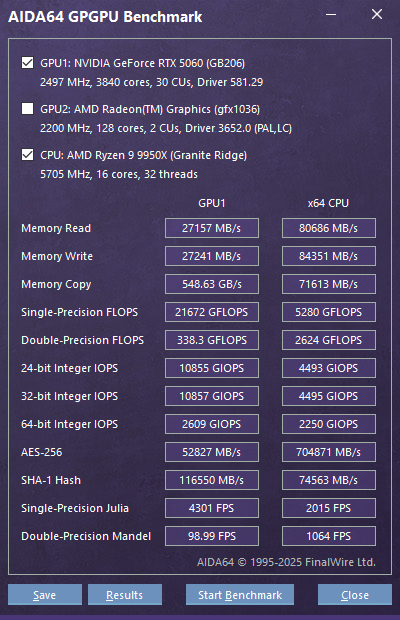
Dramatically faster startup, better responsiveness, and a future-proof technical base. - OpenCL support for NVIDIA RTX 5000 Series
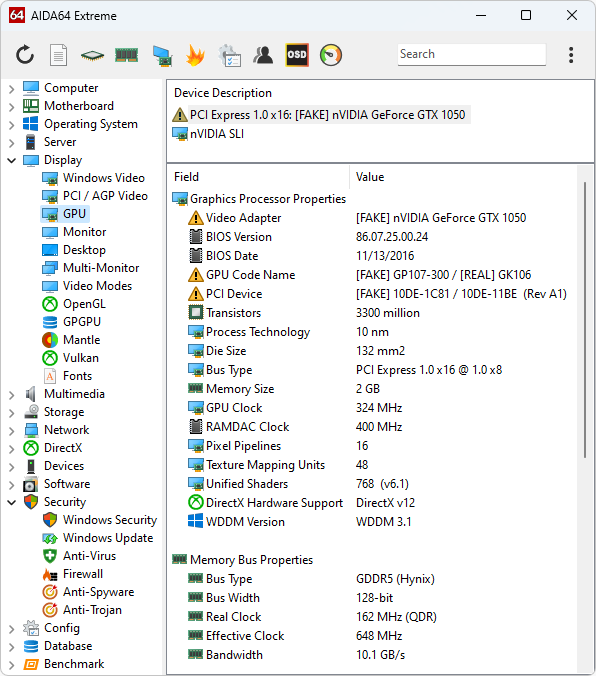
Enables GPGPU benchmarks and stress tests on the latest GeForce cards. - Flawless multi-monitor and per-monitor DPI behavior
Move windows or SensorPanels between monitors, and AIDA64 instantly adjusts. - Full Unicode support
Perfect localization and consistent language switching, without Windows codepage issues. - Windows PE v3.0+ compatibility
AIDA64 now runs smoothly in modern live environments used for diagnostics and recovery. - New SPZIP SensorPanel format
Share, edit, and store layouts with dramatically smaller file sizes.
Compatibility with previous Windows versions
AIDA64 8.x remains fully aligned with its modern 64-bit architecture and no longer supports 32-bit Windows versions or Windows XP x64. This transition ensures improved performance, security, and long-term maintainability. Moving to AIDA64 v8.xx is straightforward, but there are a few important steps to follow. Our migration guide highlights the required adjustments.
Check legacy compatibility of AIDA64 versions.
Online Documentation
We've transitioned from the previous offline user manual to an extended, online version that is always up to date. This new manual offers comprehensive, real-time information and ensures that users have access to the latest guidance and support. By moving to an online format, we can continuously update and improve the content, providing a more efficient and user-friendly experience.
You can reach the Online User Manual here, or by pressing the "F1" key in AIDA64.