


Are your CPU core counts not matching what's displayed on your SensorPanel?
Let me show you how to easily fix and customize it using the MSI style panel!
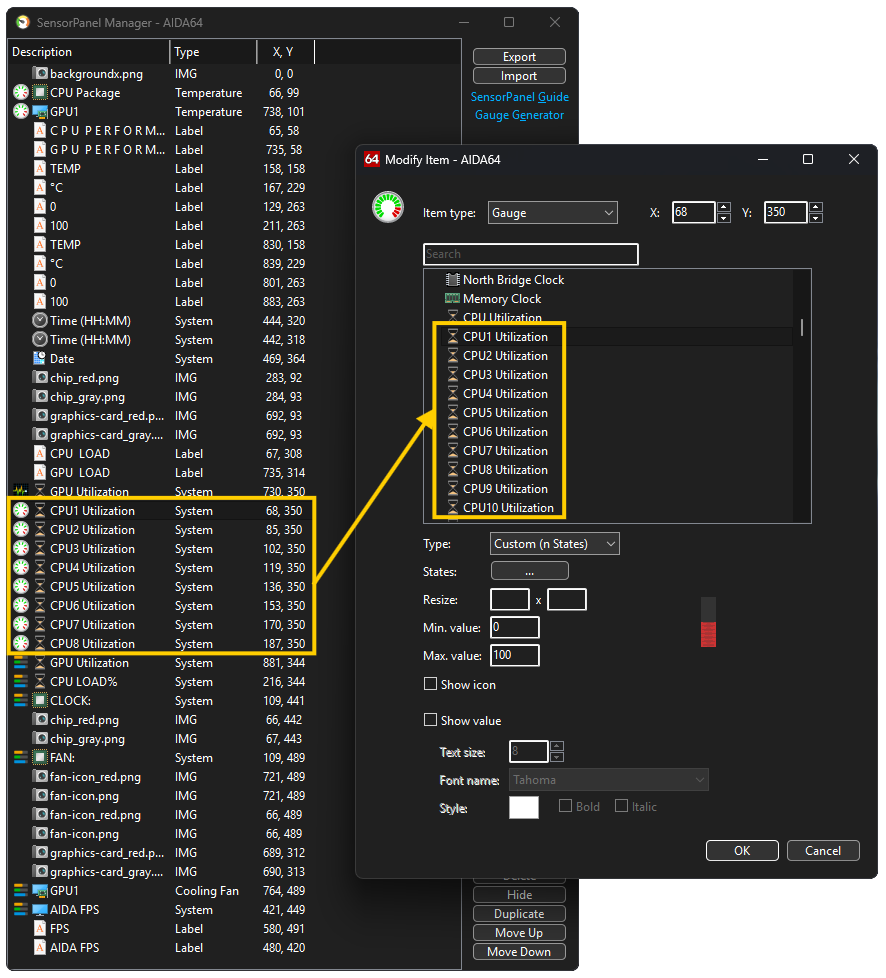
To get started, open the SensorPanel Manager (you can do this via the context menu of the SensorPanel icon in the iconbar), then import your .spzip file.
Next, select the 'CPU1 Utilization' row and click Modify. In the window that opens, the currently assigned item is highlighted in the list—allowing you to see if your system has more than eight CPU cores to account for
Available in the following products:
AIDA64 Extreme
AIDA64 Business
AIDA64 Engineer