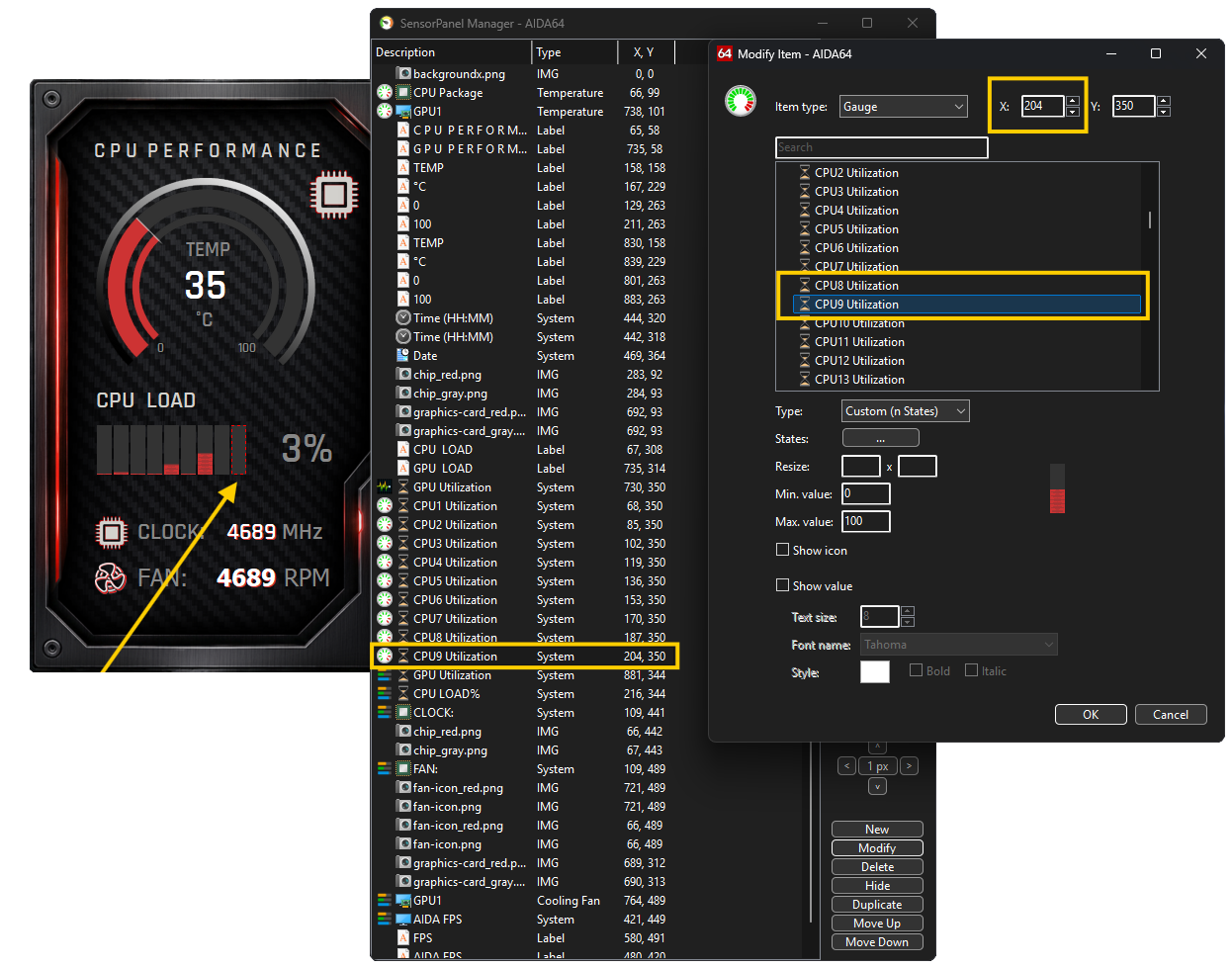


Close the modification window, then select the last "CPU Utilization" item and click the Duplicate button. This results in two "CPU8 Utilization" items appearing in the list, overlapping each other. Click the Modify button for the lower item in the list and change it to "CPU9 Utilization"; the SensorPanel will now display the usage of an additional core, though the two items still overlap.
The X,Y column of the list show the positions of the elements; from this, we can see that the bar charts are offset by 17 pixels from one another along the X-axis. For the "CPU9 Utilization" element, we need to add this 17-pixel increment to the X value and click OK; it will then neatly fall into its proper place in the row. And just like that, we have a new bar chart working 😊