


The Gauge Generator for AIDA64 SensorPanel is a web-based utility created by FinalWire. It lets you build multi-state graphical gauge image sets directly in your browser without external graphics software or manual design work, then import the generated images into SensorPanel Manager.
Overview & Purpose
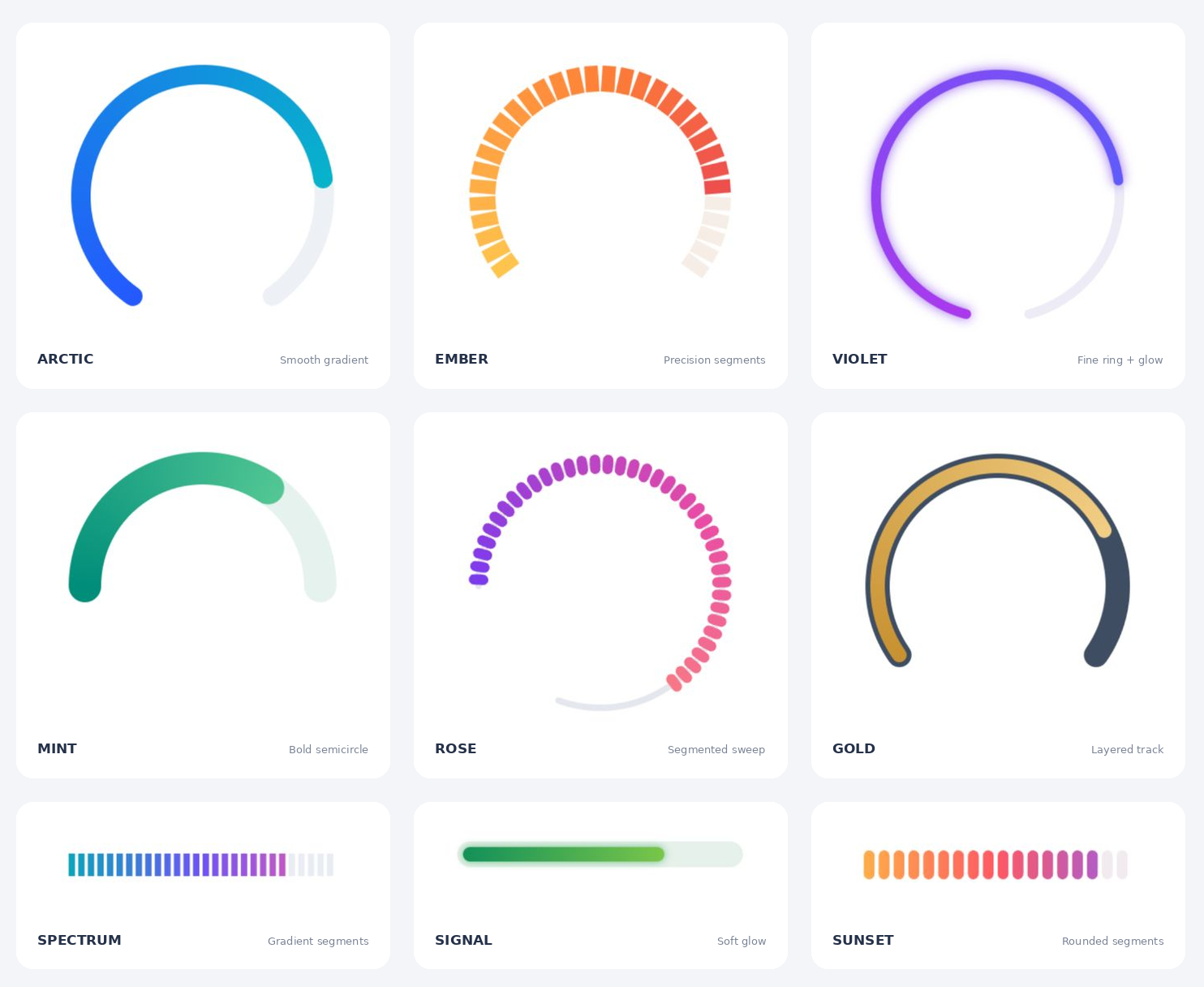
In AIDA64 SensorPanel, custom gauges rely on a series of individual state images (typically 16–100 progression states from empty/minimum to full/maximum) that represent changing sensor values such as CPU load, GPU temperature, fan RPM, or memory usage.
Traditionally, creating these state images required drawing every step in an image editor (such as Photoshop or GIMP) while keeping alignment and dimensions identical across every file. The Gauge Generator automates that workflow by letting you adjust geometric parameters, preview the gauge, and export a ready-to-use set of state images for SensorPanel.
Key Settings & Geometry Controls
Under Settings → Geometry, the tool exposes controls that define the shape, proportions, and layout of your gauge:
| Setting | Function | Practical Tip |
|---|---|---|
| Rounded Ends | Toggles rounded vs. flat/square caps on gauge segments or bars. | Enable rounded ends for modern, soft UI panels; use sharp ends for technical or segmented styles. |
| Gap Size (°) | Sets the angular gap (in degrees) left open in a circular/arc gauge. | Use 30° for an almost full ring, or a larger angle (e.g., 60°–240°) for a classic speedometer/arc sweep. |
| Gap Rotation (°) | Rotates where the angular gap is positioned around the gauge (in degrees). | Adjust rotation so the gap sits cleanly at the bottom (like a dial) or aligns with your panel layout. |
| Radius (px) | Controls the radial size (in pixels) of circular or curved gauge geometry. | Match your target SensorPanel resolution and DPI scaling so edges stay crisp without excess upscaling. |
| Length (px) | Sets the linear length (in pixels) for bar/linear gauge elements or stroke spans. | Size it relative to your panel grid and nearby text/graph readouts. |
| Orientation | Controls the directional orientation of the gauge layout (such as horizontal/vertical or sweep direction). | Align orientation with how your SensorPanel rows or columns flow. |
Step-by-Step Workflow
Configure Gauge Geometry in the Generator
- Open the AIDA64 Gauge Generator in your browser (https://www.aida64.com/tools/gauge-generator).
- Adjust Orientation, Radius (px), Length (px), Gap Size (°), Gap Rotation (°), and Rounded Ends until the proportions fit your intended SensorPanel slot.
- Generate and download/save the resulting gauge state image set.
Import the Gauge into AIDA64 SensorPanel Manager
- Open AIDA64 and launch SensorPanel Manager.
- Create a new item (New) and choose Gauge, then switch the gauge mode to Custom.
- Select the hardware Sensor you want to monitor (for example, CPU usage, CPU clock, or GPU temperature).
- Assign the generated state images to the gauge States in ascending order from lowest to highest value.
- Set the Min. and Max. sensor range values so the gauge scales accurately across your hardware's normal operating range.
Position and Verify on Your Panel
- Drag and resize the gauge on your SensorPanel canvas or external LCD/display.
- Trigger a workload (such as a benchmark or stress test) to verify that the states transition smoothly from low to high without clipping or misalignment.
Tips & Troubleshooting
- Match DPI and Canvas Size: AIDA64 v8+ includes per-monitor DPI awareness and multi-monitor pinning. Choose pixel dimensions (
Radius/Length) appropriate for your display scaling so you don't blur small graphics by stretching them heavily. - Check Sensor Min/Max Bounds: If a gauge stays pegged at 100% or barely moves, verify the sensor's Min. and Max. values in SensorPanel settings (for instance, a clock speed sensor might default to a range that doesn't match your boost ceiling).
- Keep State Order Exact: Always map state images in strict progression order (
0%→100%) so values increase rather than jump erratically. - Packaging Panels: If you share or back up your SensorPanel layout, AIDA64 v8+ supports the compact SPZIP SensorPanel format for easier storage and transfer.